
DAZ Studio Iray Settings Guide: Render Settings That Actually Matter
Master G9 expression building, dForce configs, shader tweaks, and scene compatibility tips for seamless Genesis to G migration.
Buy 3 products and choose a 4th from our Gift Products. Applicable fees or taxes may be added at checkout. Dismiss

Master G9 expression building, dForce configs, shader tweaks, and scene compatibility tips for seamless Genesis to G migration.

Join the 3D Shards Challenge! Create stunning Art Deco designs using at least 3 Shards products. Submit by June’s end!

Master migration tips for DAZ Studio, overcoming Iray issues, and leveraging GLibrary for seamless 3D asset workflows.

Smart steps for Genesis migration: audit, test, prioritize assets, and rebuild gradually to ensure a smooth workflow transition.

Choosing DAZ Genesis? Consider costs, workflow friction, and market trends for a smarter, tailored asset upgrade decision.

Master DAZ Studio lighting: build a 3-point setup, optimize Iray settings, and enhance depth for stunning 3D renders.

Create cinematic DAZ Studio scenes that tell a story, evoke emotion, and capture attention with expert lighting, composition, and storytelling techniques.

Master DAZ Studio basics: build a strong foundation, choose quality assets, and progress confidently from beginner to pro.
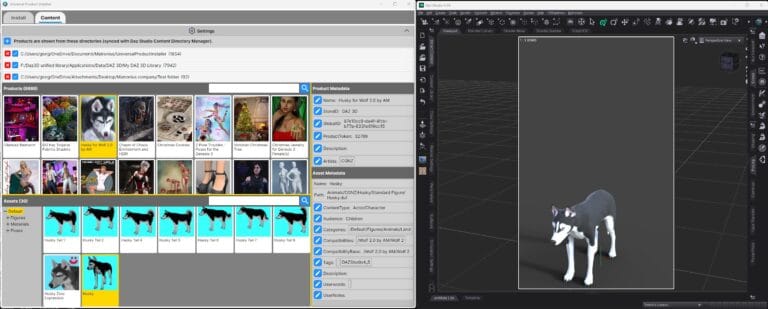
Streamline DAZ Studio content management with the Universal Product Installer—install, manage, and browse third-party assets effortlessly.
No products in the cart.
We use cookies to improve your experience on our site. By using our site, you consent to cookies.
Websites store cookies to enhance functionality and personalise your experience. You can manage your preferences, but blocking some cookies may impact site performance and services.
Essential cookies enable basic functions and are necessary for the proper function of the website.
These cookies are used for managing login functionality on this website.
Statistics cookies collect information anonymously. This information helps us understand how visitors use our website.
Google Analytics is a powerful tool that tracks and analyzes website traffic for informed marketing decisions.
Service URL: policies.google.com (opens in a new window)
SourceBuster is used by WooCommerce for order attribution based on user source.
You can find more information in our Cookie Policy and Privacy Policy.