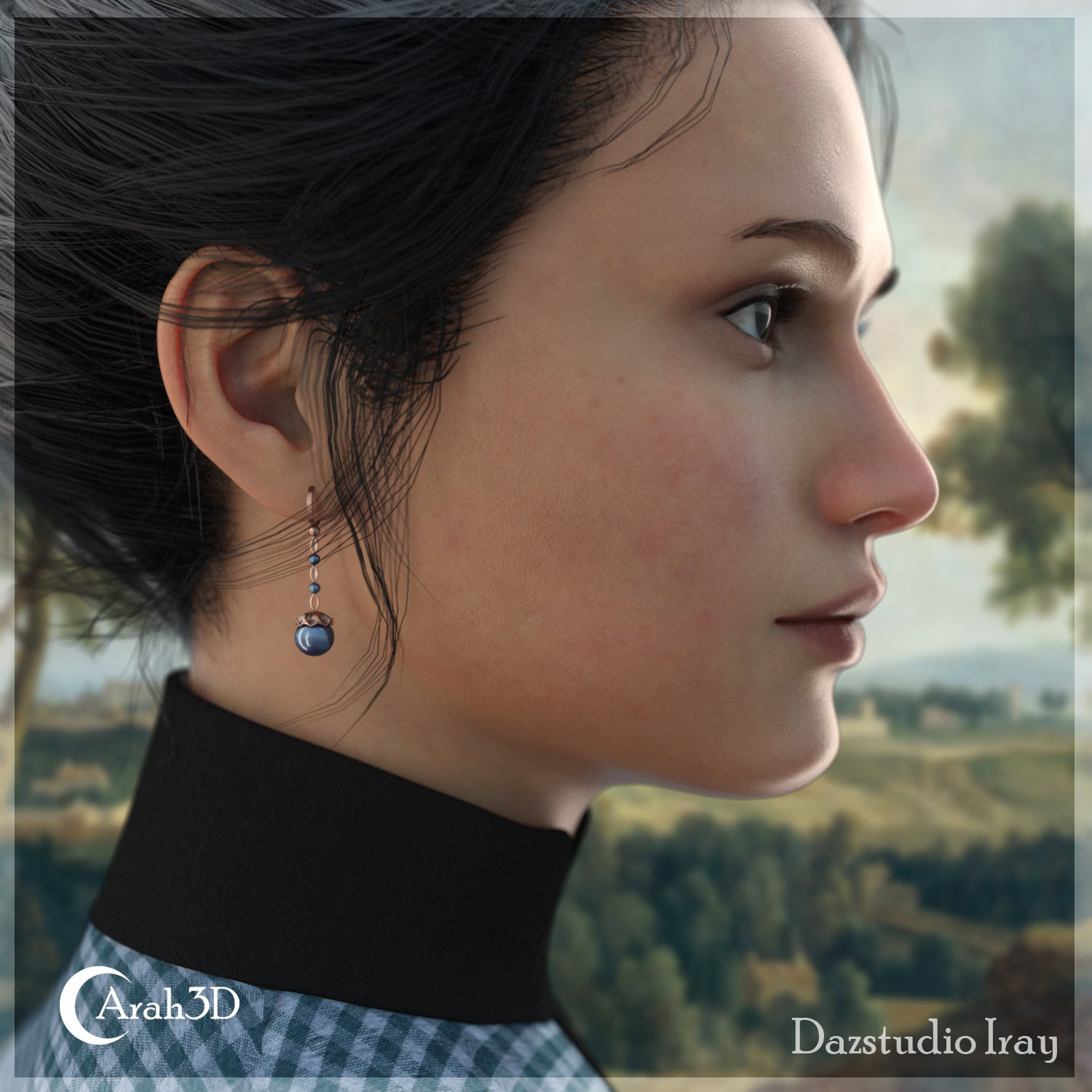
DAZ lighting flat renders are one of the most common sources of frustration in 3D art. You invest time in your scene, you hit render, and the result still looks like a cardboard cutout instead of a three-dimensional world. Flat lighting happens when every surface receives roughly equal illumination from all directions, which collapses the shadow gradients that communicate volume and depth to the viewer. The problem almost never comes from a lack of lights. It comes from the wrong lights in the wrong positions, or from render settings that quietly fill in every shadow before it can form. In this guide, you will learn exactly why flat lighting happens in DAZ Studio, how to build a dimensional three-point lighting setup from scratch, and which Iray settings to adjust for maximum depth. If you want a direct review of your current scene before you start experimenting, reach out and let us walk through your lighting setup together.
What Flat Lighting Actually Means in DAZ Studio
Flat lighting is not a brightness problem — it is a contrast problem. When every polygon in your scene receives almost the same light value, the tonal range between highlights and shadows collapses. The human visual system uses gradients — the way light wraps around a form and fades into shadow — to judge volume and distance. Remove those gradients, and even a highly detailed 3D model reads as a two-dimensional illustration. This effect is strongest in portrait renders, where facial planes should produce clear light-to-shadow transitions across the forehead, cheekbones, and jaw. A render without those transitions looks like a photo taken with a ring flash: technically lit, but dimensionally empty.
Three root causes account for the majority of flat DAZ renders. The first is relying on an HDRI environment map as the only light source. HDRIs emit light from many directions at once, which fills shadows before they can form. The second is setting ambient intensity too high in Render Settings, which raises the brightness floor across the entire scene and compresses the tonal range. The third is placing the key light too close to the camera axis, which recreates the ring-flash effect and eliminates directional shadow. Identifying which of these three causes applies to your scene is the fastest route to a fix.
How to Add Depth to Your DAZ Lighting: Step by Step
Adding depth is a systematic process, not a matter of piling on more lights. The three-point lighting system — key, fill, and rim — exists specifically to solve flatness by giving each area of the subject a distinct light treatment. You do not need an elaborate setup to achieve this. Three well-chosen lights with the correct intensity ratios will outperform ten poorly placed ones every time. The steps below apply to Iray renders in DAZ Studio 4.x, but the principles transfer directly to any physically-based render engine.
Step 1: Place a Directional Key Light
Add a Distant Light or a large Spotlight as your key light. Position it at 45 degrees to the side of your subject and 30 to 45 degrees above eye level. This angle creates a shadow under the nose, below the cheekbones, and along the jaw — the three-dimensional cues the viewer needs to read the face as a solid form. Set a slightly warm colour temperature, around 5500 to 6200 K. Use ray-traced shadows and set softness to match the implied size of the light source. The key light should represent 60 to 70 percent of your scene’s total perceived brightness. Reduce HDRI intensity rather than supplementing it to reach that value.
Step 2: Add Fill and Rim Lights
Place a fill light on the opposite side of the subject from the key. Set its intensity to 20 to 30 percent of the key light. The fill does not illuminate — it manages shadow darkness. A completely black shadow reads as a void rather than a surface, which paradoxically makes the render look flatter than a well-controlled shadow would. Then add a rim light behind and slightly to the side of the subject, opposite the key. Even at 10 to 15 percent intensity, the rim draws a bright edge along the silhouette and separates the subject from the background. That edge separation is one of the fastest depth cues available to you in any render.
Choosing the Right Light Types for Depth
Each of DAZ Studio’s light types contributes differently to depth. Distant Lights simulate parallel rays — like sunlight — and produce strong directional shadows, making them excellent key lights for both outdoor and studio setups. Spotlights provide a directional cone with controllable edge softness, making them ideal for portrait work where you need to limit the spread of light. Point Lights radiate in all directions and are best as accent or practical lights within the scene — a lamp, a screen glow, or a candle. Area Lights produce the softest and most photorealistic shadows because light comes from a surface rather than a point, and they work especially well as fill lights. HDRI maps contribute ambient fill and sky tone but should never carry the full lighting burden. Combine at least one geometric directional light with your HDRI on every project.
If you want to study professionally structured lighting as a reference before building your own setup, the asset library includes lighting products designed specifically around three-point depth principles. Browsing and reverse-engineering a ready-made setup is one of the fastest ways to internalise why each light belongs where it is. You can then disassemble the product, adapt it to your own scene, and understand every decision as you make it.
Flat Lighting vs. Dimensional Lighting at a Glance
The comparison below maps the key parameters of flat and dimensional lighting side by side. Use it as a quick diagnostic tool when reviewing your own renders.
| Parameter | Flat Lighting | Dimensional Lighting |
|---|---|---|
| Primary light direction | Frontal or omnidirectional | 45 degrees offset from camera axis |
| Shadow presence | Minimal or absent | Clear, controlled gradient |
| Subject-background separation | Subject blends into background | Rim light creates visible edge separation |
| Tonal range | Compressed highlights and shadows | Full range with distinct midtones |
| Ambient contribution | Dominant — fills all shadow zones | Supportive — preserves shadow areas |
| Number of active lights | Often one (HDRI only) | Three minimum (key, fill, rim) |
| Perceived depth | Low — subject reads as two-dimensional | High — subject reads as volumetric |
Common Mistakes That Destroy Depth in DAZ Renders
The most frequent mistake is treating the HDRI environment map as a complete lighting solution. HDRIs are ambient by nature — they emit light from every direction simultaneously, which is exactly the condition that eliminates shadow. Use the HDRI as a contributor, not a primary source. Reduce Environment Intensity in Iray Render Settings to between 0.3 and 0.5, and let your geometric lights handle directional work. Shadows will reappear almost immediately. The second common mistake is setting all lights to similar intensity levels. When key, fill, and rim are close in brightness, they cancel each other’s directional effect. Maintain the ratio: key dominant at 60 to 70 percent, fill supportive at 20 to 30 percent, rim subtle at 10 to 15 percent.
A third mistake is ignoring light colour contrast. If your key and fill lights are both neutral white, the scene will feel flat even with good directionality. A warm key and a cool fill — even a difference of 1000 to 1500 K — creates a natural, three-dimensional colour contrast between lit and shadow zones. The viewer’s visual system reads this contrast as depth, not just as colour variation. A fourth mistake is using low-resolution shadow maps in 3Delight setups. Stepped, pixelated shadow edges undermine the realism of any depth-focused render. In Iray, shadows are ray-traced by default, but verify that raytracing is enabled in your Render Settings and not being overridden by a legacy preset.
Iray-Specific Settings That Add Depth Without Extra Lights
Iray’s Tone Mapping response curve has a larger effect on perceived depth than most artists realise. The default linear tone map compresses midtones and flattens the tonal separation between lit and shadow areas. Switching to a filmic curve preserves highlight detail, deepens shadows, and increases the visible tonal range — all of which the viewer reads as greater depth. Access Tone Mapping in the Render Settings panel. A Burn Highlights value of 0.95 and a Crush Blacks value of 0.2 is a useful starting point. The improvement in a portrait render is visible immediately.
The second Iray-specific adjustment is the Environment Mode setting. For outdoor scenes, “Sun-Sky Only” gives you a physically accurate sun angle and a gradient sky fill that naturally produces depth with minimal manual light placement. For indoor or studio scenes, “Dome Only” at reduced intensity lets your scene lights take full control. The third adjustment is Ambient Occlusion, which adds localised shadow wherever surfaces are close together — the underside of a chin, the folds of clothing, the corners of a room. AO strengthens the grounding of objects in the scene and reinforces depth at a fine level. If you want to see how other DAZ artists configure these specific Iray settings in practice, the rendering forum has active threads where creators share their configurations and compare results openly.
The principles covered in this guide are not advanced techniques — they are the fundamentals that experienced 3D artists apply without thinking. Once they become habitual, flat renders essentially stop happening. If you are ready to apply these ideas to your own work and want structured feedback on where your current scenes stand, get in touch and let’s talk through what your specific lighting needs.
Frequently Asked Questions
Why does my DAZ render look flat even with multiple lights?
Multiple lights do not guarantee depth. If all your lights are similar in intensity or direction, or if your ambient contribution is too high, shadows cannot form. Check the intensity ratio between your key, fill, and environment lights. Your key should dominate, your fill should be significantly dimmer, and your HDRI intensity should not compete with your geometric lights.
What is the best light type for depth in DAZ Studio?
A Distant Light or a large Spotlight placed at a 45-degree angle to your subject is the most reliable starting point. These light types are strongly directional and produce the shadow gradients your render needs. Pair them with an Area Light for fill and a Distant or Spot Light for rim to complete the three-point setup.
How do I stop my HDRI from making my scene look flat?
Reduce the Environment Intensity in your Iray Render Settings to between 0.3 and 0.5. Then add a geometric directional light as your key. This keeps the HDRI as a subtle ambient fill without letting it overpower your shadow zones and remove the depth from your render.
Does shadow softness affect perceived depth in a render?
Yes, significantly. Hard shadows look artificial and can flatten a render by drawing attention to the shadow edge rather than the form. Soft shadows with a controlled gradient guide the eye naturally across the surface. In Iray, shadow softness is determined by the implied size of your light source — a larger area light produces softer shadows.
Should my key and fill lights be different colours?
Yes. A warm key light and a cool fill light mimics natural outdoor illumination and creates a sense of dimension even in studio setups. The colour contrast between lit and shadow zones is one of the most effective depth cues available. Even a modest shift — a 6000 K key versus a 7500 K fill — makes a visible difference in a portrait render.
What Iray render settings improve depth the most?
The Tone Mapping response curve has the biggest single impact. Switching from a linear to a filmic curve preserves shadow detail and highlight separation, which directly increases perceived depth. Reducing the Environment Intensity and enabling Ambient Occlusion also contribute to a more dimensional result without requiring additional lights.
Can I fix flat lighting without adding new light objects?
In some cases, yes. Reducing HDRI intensity, adjusting the angle of an existing key light, and changing tone mapping settings can all improve depth without adding new lights. However, if your scene has no rim light at all, you will almost always need to add one to achieve visible subject separation from the background.
How many lights does a depth-focused DAZ scene typically need?
Three is the standard minimum: one key, one fill, and one rim. You can add accent lights for specific purposes — a hair light, a ground fill, or a practical light visible within the scene — but the three-point system is the foundation. More than five or six lights on a single-character scene often becomes counterproductive, as competing sources start to cancel out each other’s directional shadow.
-
SHIFT Kit: Cameras and Lights
6.66 $ -
Point N Click Cameras and Props
4.99 $ -
HSA3D Hues Variety HDRI Lighting System
Original price was: 15.00 $.10.00 $Current price is: 10.00 $. -
Promo Kit for G9 & G8
13.13 $ -
Neo Corner Environment
11.99 $