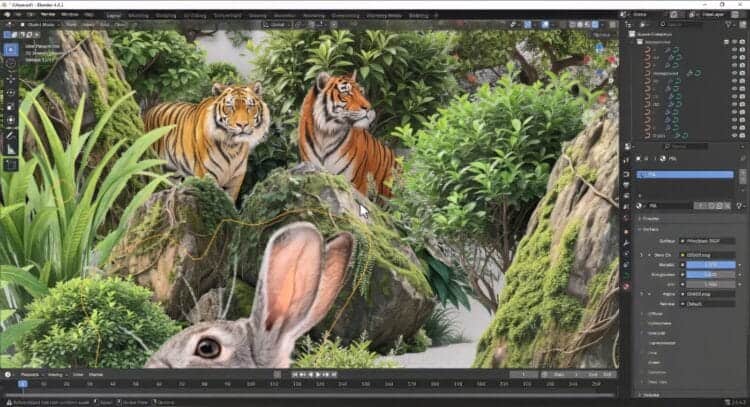
Photoshop to Blender Plugin: Effortless Layer Transfer & Import v.1.8.40
39.99 $
- DIM Support
- Great Support
- Fair Prices
- Secure Payments
- Instant Download
Please check the Video Tab as well.
🚀 Matronius Unleashes Your Workflow: Introducing the Photoshop to Blender Plugin v1.8.40

- Demo1

- Demo2

- Demo3
This isn’t just a convenience—it’s a workflow revolution engineered by Matronius that will immediately elevate your asset creation, concept design, and texture layering process.
Now supports Blender 5.X!!!!
The Powerhouse Duo: How It Works
Our tool is a seamless two-part system designed for maximum efficiency:
1. The PSL Exporter (Photoshop Script)
-
Simply copy the script into your Photoshop
Presets/Scriptsfolder. -
Access it instantly via File > Scripts > PSL Exporter.
-
This command intelligently bundles all your Photoshop layers into a single, compact .psl (Photoshop Layer) zipped file. Think of it as a complete, transferable snapshot of your work, ready to move across drives or even different machines!
2. The Blender Importer (Blender Add-on)
-
Install the add-on like any standard Blender extension.
-
Find the new option under File > Import > Photoshop Layer (.psl).
-
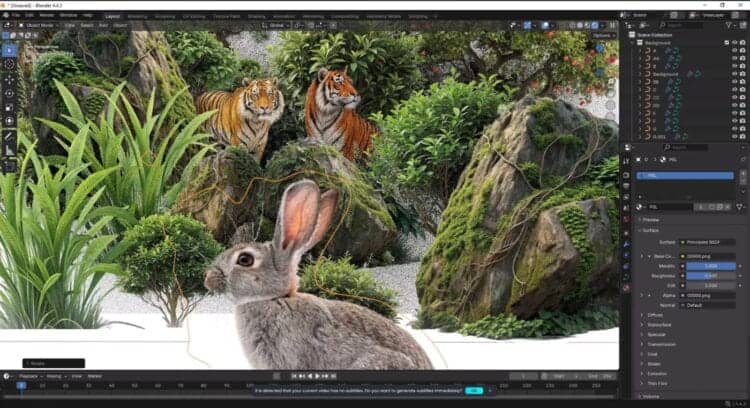
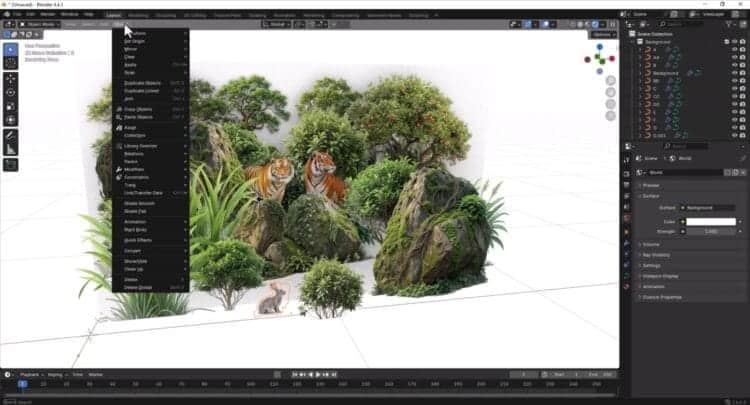
One click imports your .psl file, instantly transforming your 2D design into a fully structured 3D scene within Blender.
Key Features: Why This Will Transform Your Workflow
| Feature | The Benefit For You |
| Complete Layer Fidelity | Imports ALL layers—including Normal, Shape, and Text layers—so you never lose a single detail of your intricate designs. |
| Perfect Z-Order Mapping | Layers are imported in the exact same z-order as your original Photoshop file, eliminating the need to reorganize and ensuring your depth is preserved. |
| Smart Layer Conversion | Shape and Text layers are efficiently converted into flat curves, while Normal layers become textured curves, maintaining their intended function. |
| Automatic Organization | Every Photoshop Group is automatically converted into a structured Blender Collection, giving you an impeccably clean and organized scene from the moment you import. |
| Now Fully Compatible with macOS! | PC and Mac users, rejoice! Enjoy flawless, high-speed performance on any platform. |
Our Commitment to You
We at Matronius don’t just sell software; we pour our passion into creating tools we love to use. We treat this product as a labor of love and are highly receptive to feedback. Expect frequent, impactful updates that ensure your plugin is always running at peak performance!
Stop struggling with manual export. Start creating instantly. Get the Photoshop to Blender Plugin today and take back your creative flow!
Best wishes,
The Matronius Team
General enquiries or support: support@matronius.co.site

About This Asset
This Blender asset is a digital download for 3D artists, scene builders and visual creators working in Blender.
Installation and Use
After purchase, this product is delivered as an instant digital download. DAZ Studio products can be installed with DAZ Install Manager or manually, so you can choose the installation method that works best for your workflow. Always review the included files, product notes and compatibility information before use.
Quick Information
Only logged in customers who have purchased this product may leave a review.
About This Asset
This Blender asset is a digital download for 3D artists, scene builders and visual creators working in Blender.
Installation and Use
After purchase, this product is delivered as an instant digital download. DAZ Studio products can be installed with DAZ Install Manager or manually, so you can choose the installation method that works best for your workflow. Always review the included files, product notes and compatibility information before use.
Quick Information
You may also like…
Related products
-
Supporter-friendly Price
Daz Studio Universal Product Installer – Plugin
Rated 4.20 out of 549.99 $
If you were a Supporter, this would cost: 29.99 $
Become a Supporter here and unlock this special price. -


-


💡 Daz Studio Tip
Study real-life anatomy to understand how weight shifts when a character is sitting or leaning.


Reviews
There are no reviews yet.